 Coffeeshopped
Patch Base/Supported synths/Roland JP-8080
Roland
JP-8080 Editor & Librarian
Patch Base has the best Roland JP-8080 editor and librarian available for Mac and iPad. Edit any parameter, organize patches, create random patches, and more.
Try out Patch Base 4 for Mac free for 7 days. Every editor is available as a one-time purchase, or get them all with the All Access subscription — one monthly or annual price for the whole collection.
Already own Patch Base 4 for Mac? Log in to buy the JP-8080 editor at the editor-only price.
Download Patch Base free on the App Store, then unlock the JP-8080 editor with an in-app purchase — or get every editor with All Access.
Free to download, and free 7-day All Access trial.
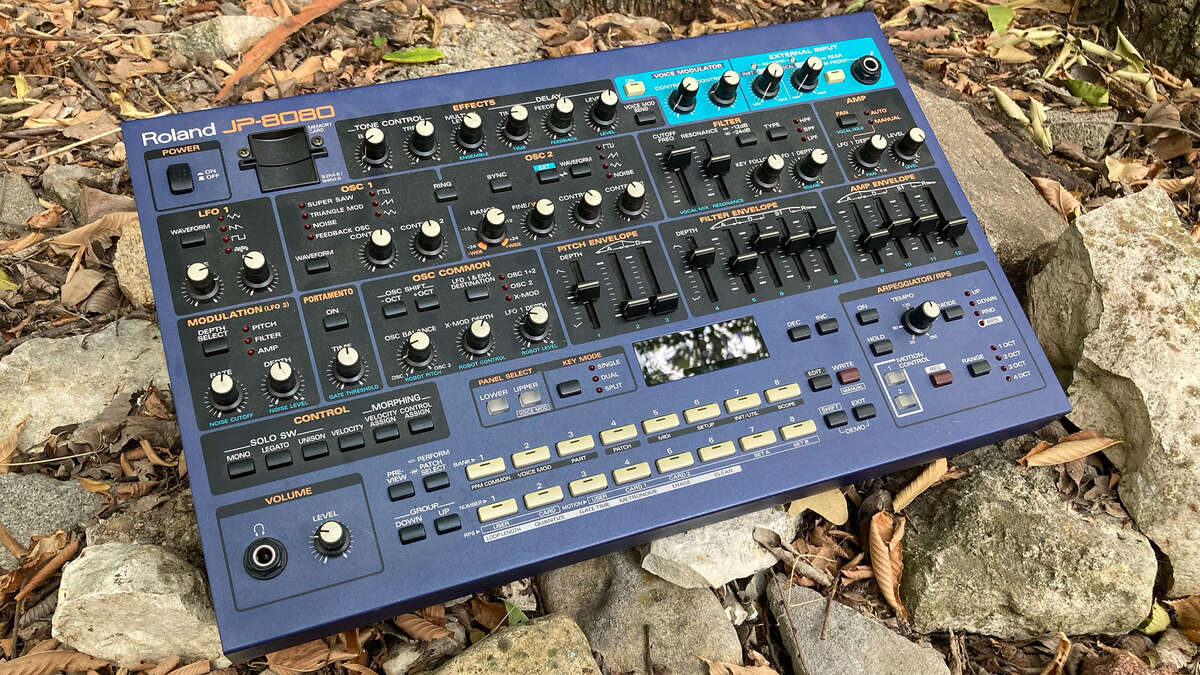
iPad Screenshots
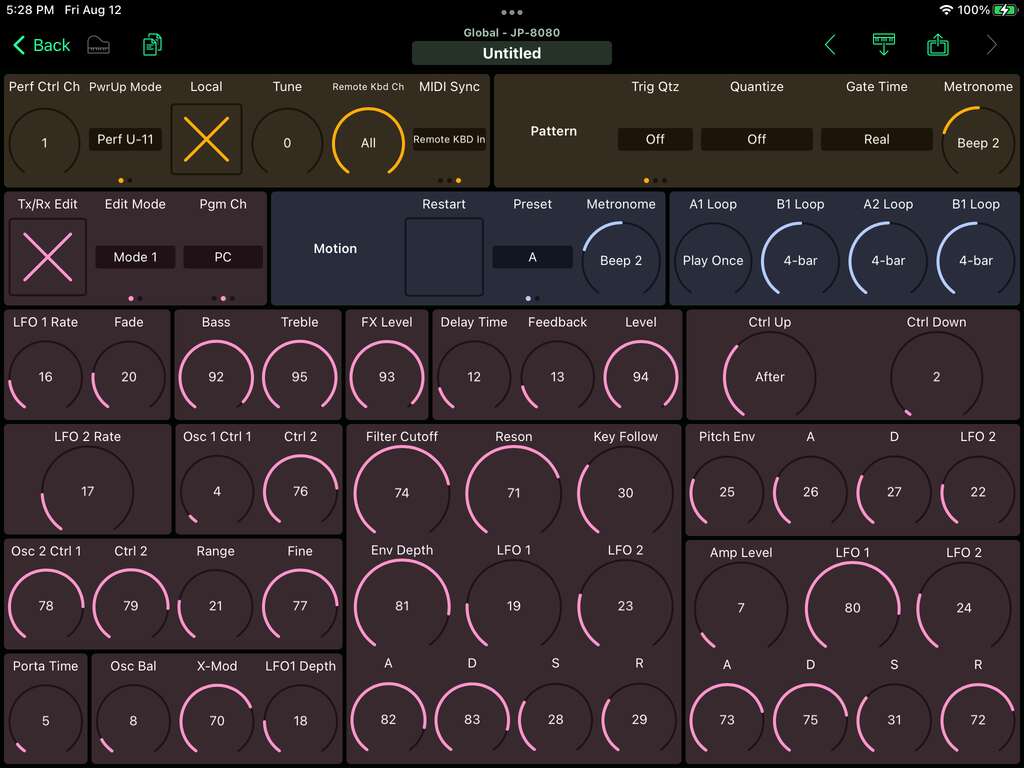
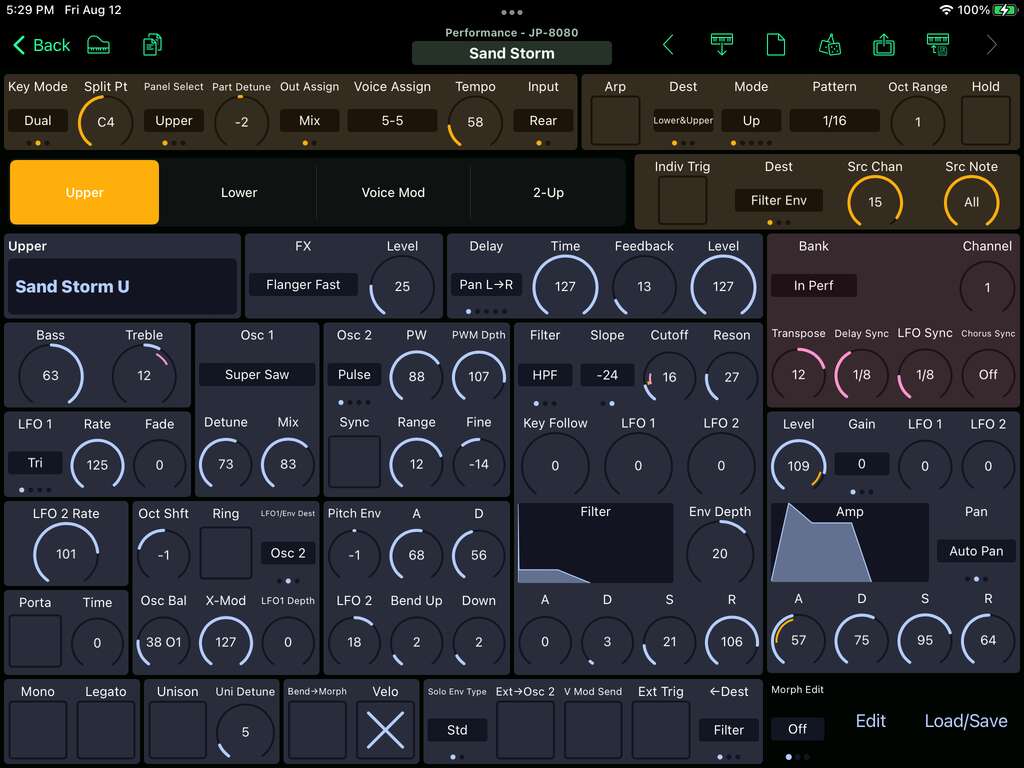
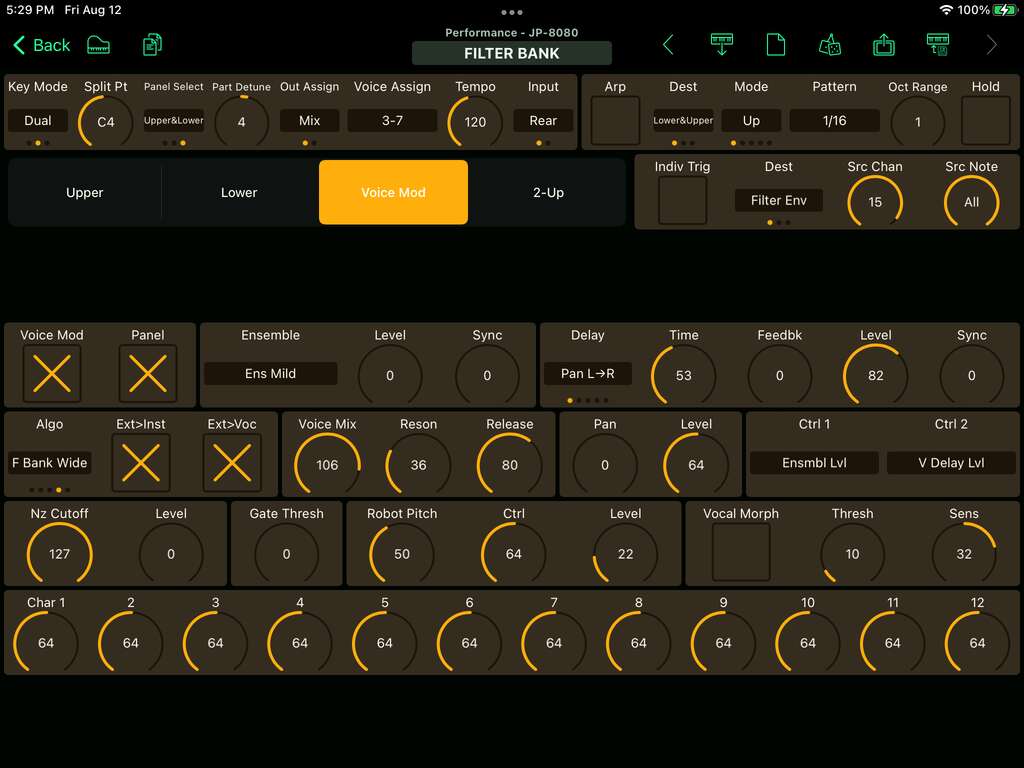
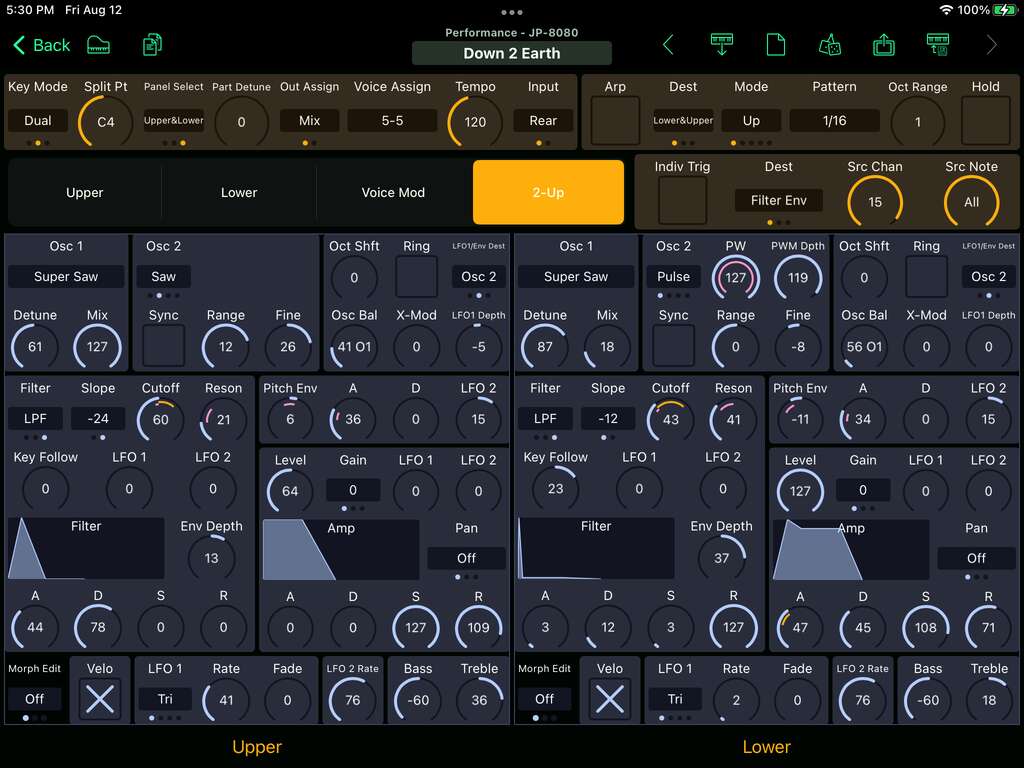
Patch and Performance Editor
The JP-8080 editor in Patch Base brings all the settings for a full JP-8080 Performance with its 2 Patches into a single editor. You can quickly see the overview of the settings for the Upper and Lower Patches as well as the Velocity and Control Morphing settings for every parameter.
The Upper and Lower tabs each show you a full patch on a single screen. Although the JP-8080 is wonderful for hands-on control, when you load a saved patch you don't really know what any of the settings are on the synth itself. Patch Base makes this easy. You can also copy and paste the Filter and Amp envelopes as well as Randomize or Initialize each individual patch. Individual patches can be saved and loaded, as well as entire Performances, all from one editor.
The Voice Mod tab shows you all of the Voice Mod settings in one place, making it easy to create your own custom patches without any menu diving.
The 2-Up tab shows the most important controls of the Upper and Lower patches side-by-side, for when you're creating Performances that use both patches on the same channel, and you want to compare settings between patches, or quickly copy/paste between patches.
Morph Edit
The Morph Edit switch on each of the Patch Editors toggles into Velocity or Control modes, enabling you to tweak the responsiveness of every parameter to note velocity or external performance control. Changes to Velocity or Control Morphing amounts are always visible right on the control itself, so you can visually how your sound will change as it morphs.
Global Editor
All of the JP-8080's System settings are in one place here, without any menus needed. Particularly handy is the ability to set the CC value of any of the patch parameters here.
Bank Editors
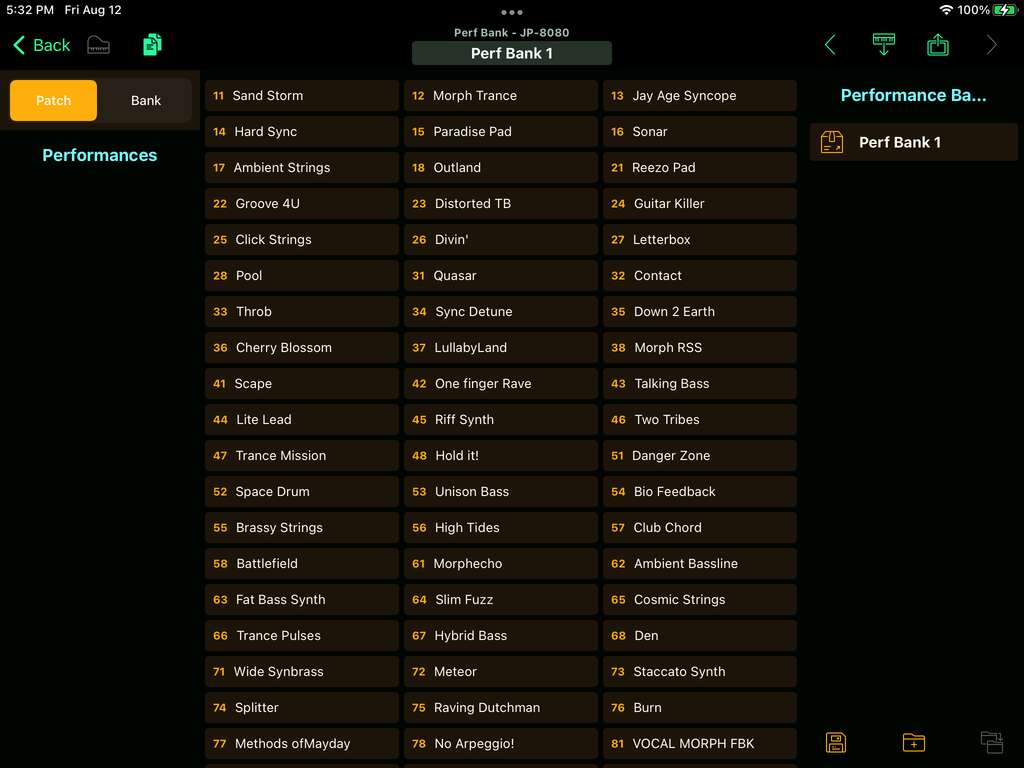
The Internal Performance and Patch Banks can be fetched, saved, and loaded using the included Bank Editor windows.
Backup Editor
Save all of the current data within Patch Base to a single backup file, to store your Global, Performance Bank, and Patch Bank data in one place for saving and re-loading.
Patch Librarian
Save patches and banks as files
Patch Base saves files as sysex that can be sent to your synth by Patch Base or any general-purpose sysex transfer app.
Organize your sounds
Create folders to organize your patches and banks on iPad or Mac.
iCloud integration
Optionally use iCloud to make your patch files accessible on any iCloud-connected device, and to sync between Patch Base on Mac and iPad.
Import sysex files
Import existing patch and bank sysex files. On Mac, drop your files into the browser. On iPad, import using iCloud or the Files app.
More Roland
Other Roland editors.
Related: All supported synths FAQ JP-8080 editor help